

Language Reactor Alternative
Language Reactor breaks down. Reading doesn't.
Language Reactor's dual-subtitle overlay for Netflix and YouTube is genuinely useful, but its own forum tells a consistent story: the translation server goes down for hours, sometimes days, with no official word from the developer. Lira skips the extension: open your own text, translate with a tap, on any device.
Start reading freeQuick verdict
- ✓Language Reactor: free dual-subtitle overlay on real Netflix/YouTube content
- ✗Language Reactor: Chrome/Edge extension only, no phone app
- ✓Lira: read on any device, no extension needed
Quick verdict
- ✓Language Reactor: free dual-subtitle overlay on real Netflix/YouTube content
- ✗Language Reactor: Chrome/Edge extension only, no phone app
- ✓Lira: read on any device, no extension needed
Self-check
Is Language Reactor letting you down mid-session?
4 questions to see if reliability and mobile access are really holding your practice back.
Question 1 of 4
Has the dictionary or translation ever stopped loading mid-session?
Language Reactor or Lira: different tools, different jobs
Language Reactor's strength is watching real Netflix and YouTube content with a dual-subtitle overlay, something Lira doesn't attempt. Where the two diverge is reliability and reach: Lira isn't tied to a browser extension, a third-party streaming page, or a single desktop browser to work.
| Language Reactor | Lira | |
|---|---|---|
| Dual-subtitle overlay on Netflix/YouTube | ✓ | ✗ |
| Import your own EPUB / PDF / article | ✗ | ✓ |
| Works without a browser extension | ✗ | ✓ |
| Native mobile access, no desktop-only extension | ✗ | ✓ |
| Spaced repetition engine (FSRS) built in | ~ | ✓ |
| Vocabulary kept with its original sentence | ✓ | ✓ |
| Free to use | ✓ | ✓ |
No extension, no third-party page to inject into: open a text and start reading.
Language Reactor's own support forum has logged the same pattern more than once since mid-2025: word highlighting, dictionary lookups, and flashcard sync go down across several languages at once, on both Netflix and YouTube, sometimes for days, with the thread eventually closed by a community moderator rather than an official statement from the developer. That's the tradeoff of routing every lookup through a third-party streaming page and a shared language-processing server. Lira's translation flow has fewer moving parts by design: no extension to inject into someone else's page, no dependency on Netflix or YouTube's own layout staying stable release to release.
From a browser extension to a page that just works
Language Reactor needs Chrome or Edge, the extension enabled, and Netflix or YouTube's page structure to stay compatible with it. Lira is a normal web app: open it in any browser, on any device, and start reading.
Import
Drop your own EPUB, PDF, or article URL. No extension to enable, no streaming platform required.
Reading
Tap a word for its contextual translation, on desktop or phone, in the same browser tab.
Review
Words you look up move into FSRS spaced repetition automatically, kept with their original sentence.
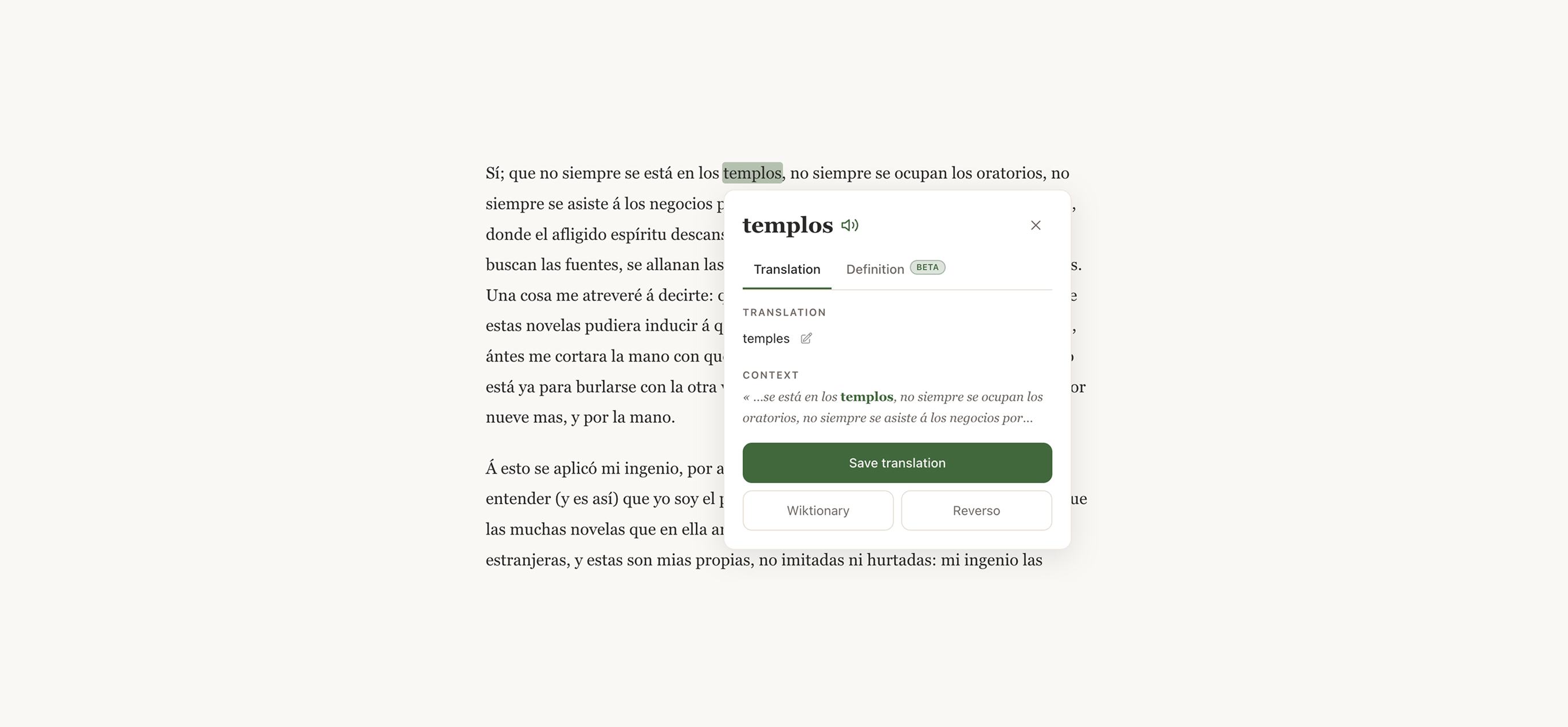
La vida sigue igual después de la tormenta.
What Lira actually does
Your own text, no platform required
Drop an EPUB, a PDF, or paste an article URL and you're reading inside a minute. No dependency on a streaming service's subtitle track or page layout.
No extension to install or keep updated
Lira runs as a normal web app. Nothing to enable in your browser settings, nothing that breaks when a site you don't control changes its layout.
The same experience on your phone
Read and translate on mobile exactly like on desktop. Language Reactor's extension model doesn't reach a phone browser at all.
What you actually see while reading
No extension permissions to grant first: here are the screens you use day to day, from opening a text to reviewing what you saved.
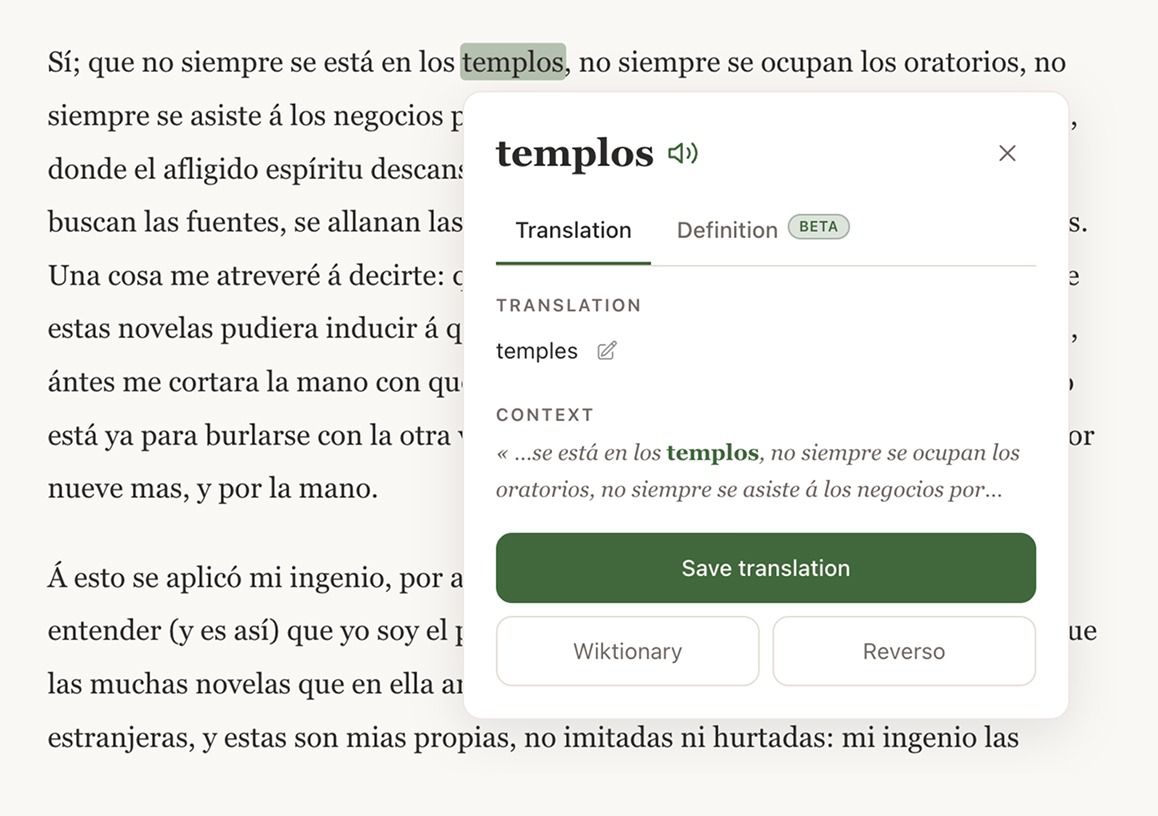
Tap a word, keep reading
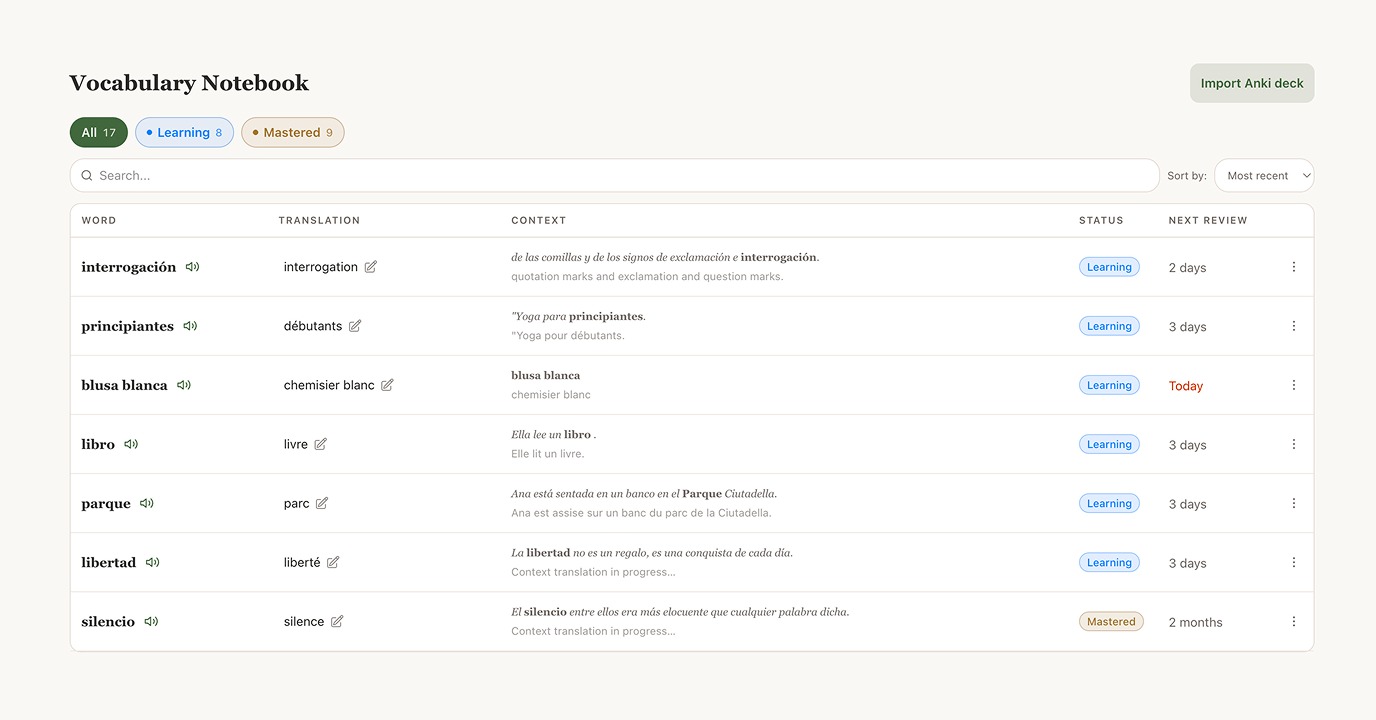
Every saved word keeps its original sentence
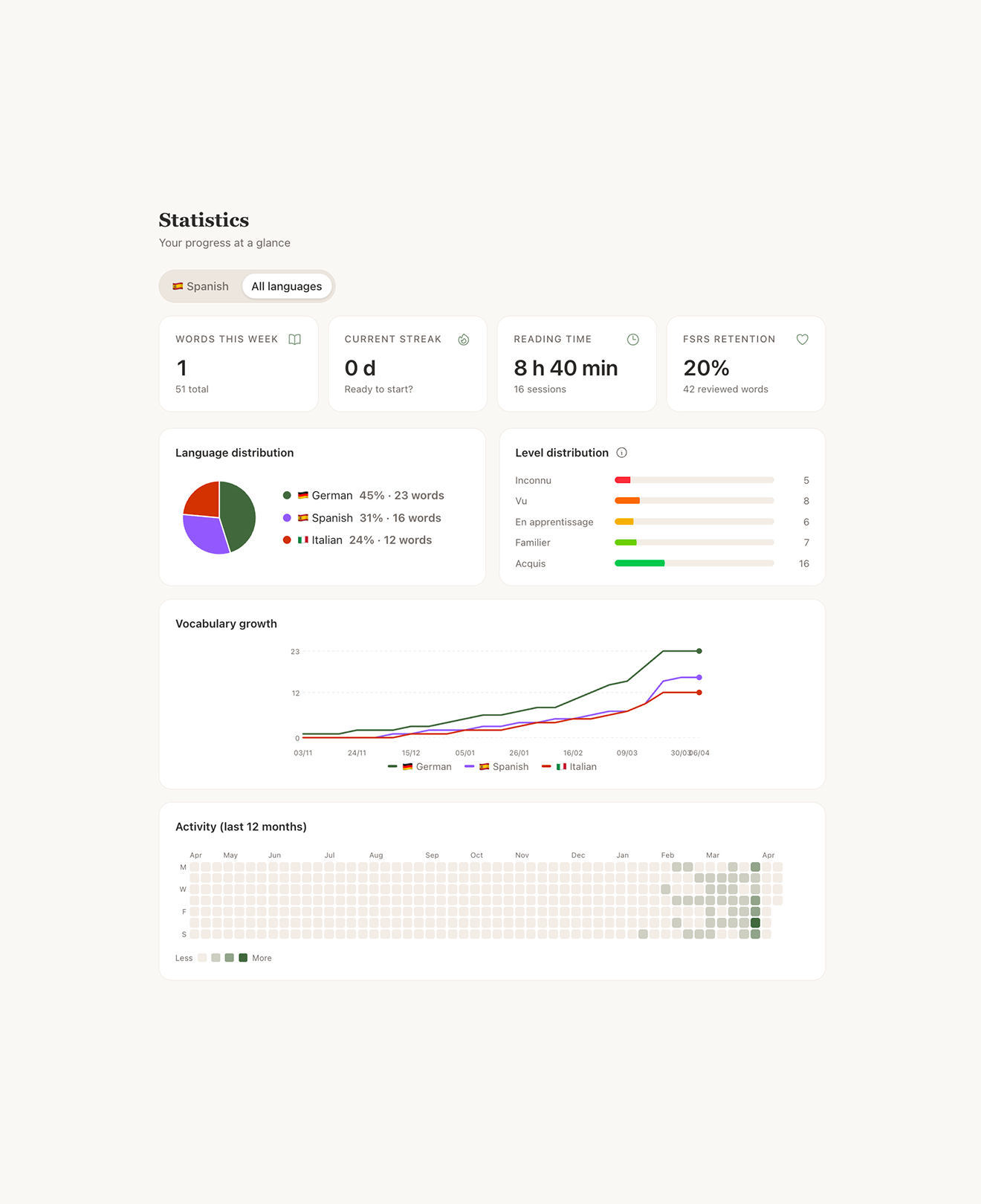
Progress tracked automatically, no manual bookkeeping
The science
Same principle, one less point of failure
Both tools lean on the same finding from second-language acquisition research: vocabulary encountered in real context, then reviewed at the right intervals, sticks far better than vocabulary drilled in isolation. Language Reactor applies it to video subtitles; Lira applies it to whatever text you bring in, through FSRS (Free Spaced Repetition Scheduler), the same open-source algorithm behind Anki. Without spaced review, retention drops fast (the gray curve). With reviews timed right before you'd forget, it climbs and stabilizes (the green curve). Getting there doesn't require a browser extension staying in sync with a video platform you don't control.
Vocabulary retention over time
Language Reactor's lookup died mid-episode twice in one week. I switched to reading my own stuff on Lira and it just works.
Noah, 29
I mostly study on my phone during my commute. Language Reactor never worked there, an extension can't.
Camille, 24
No more waiting on someone else's server to tell me a word means something. I tap, I get the translation, I keep reading.
Priya, 31
Go further

Vocabulary in Context vs Word Lists: What Actually Sticks
Flashcard lists fade in days. A word met in a real sentence sticks for years. Here's what memory research actually says, and how to use it.

Extensive vs Intensive Reading: Which One Actually Works?
Read a lot of easy text, or a little text in depth? Here's the real difference between extensive and intensive reading, and how to combine both for faster progress.
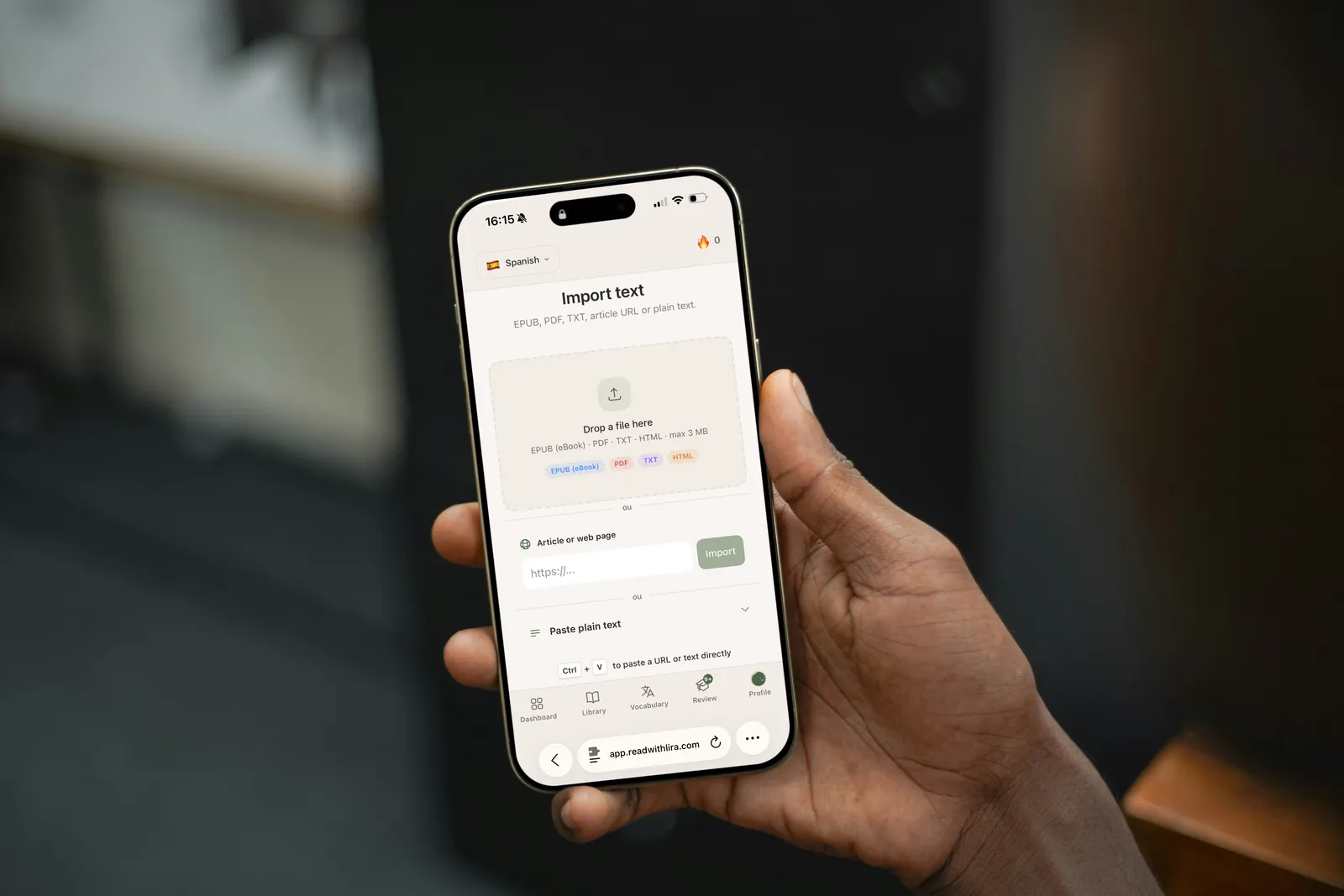
How to Import a Book or Article Into Lira
A step-by-step guide to importing an EPUB, PDF, URL, or plain text into Lira, and how to start reading the right way.

Skip the extension, keep reading
Drop in a text you actually want to read, for free, and start translating in under a minute, on any device.
Start reading free